How MathGusto works
Short daily sets, lessons that teach, help when it is needed and progress that a child can see without ever seeing a score.
A grown-up sets it up
A parent or another grown-up creates the account and adds each child with a first name (or a nickname) and their grade. Then they choose the curriculum, the language and how long a day is.
The child taps Start
The child picks their name and lands on Today: a short set of activities planned for them, with one big Start button. Behind it, the path shows the lessons just done and the ones coming next.
Gus teaches and helps
A new idea starts with Gus showing how it works. During practice, Gus offers a hint after two wrong tries and, if a step still does not come, shows that one step. “Show me how” is there whenever a child wants to watch.
Progress fills Gus’s circle
Every lesson has its own circle. Each good round fills another quarter, and when a lesson is mastered Gus slots right into the middle. Children see the circle, never a percentage.
Explore when curious
Besides Today, children can explore everything in their grade by topic: numbers, adding and taking away, times tables, fractions, shapes, measuring, time, money, data. Nothing is locked; a “Try something harder” row looks ahead.
Pick up where you left off
Life happens in the middle of lessons. If a child stops half-way, the next time they open that lesson MathGusto offers to carry on from the same question.
Four steps to mastery
Gus’s circle follows how a child is doing in each lesson, gently and without losing anything for a bad day.
Attempted
The lesson has been tried.
Familiar
A round finished with 60 % or more.
Proficient
A round finished with 80 % or more.
Mastered
90 % or more on two different days.
A weak round never wipes out progress. At most it steps back one level and suggests a short warm-up first.
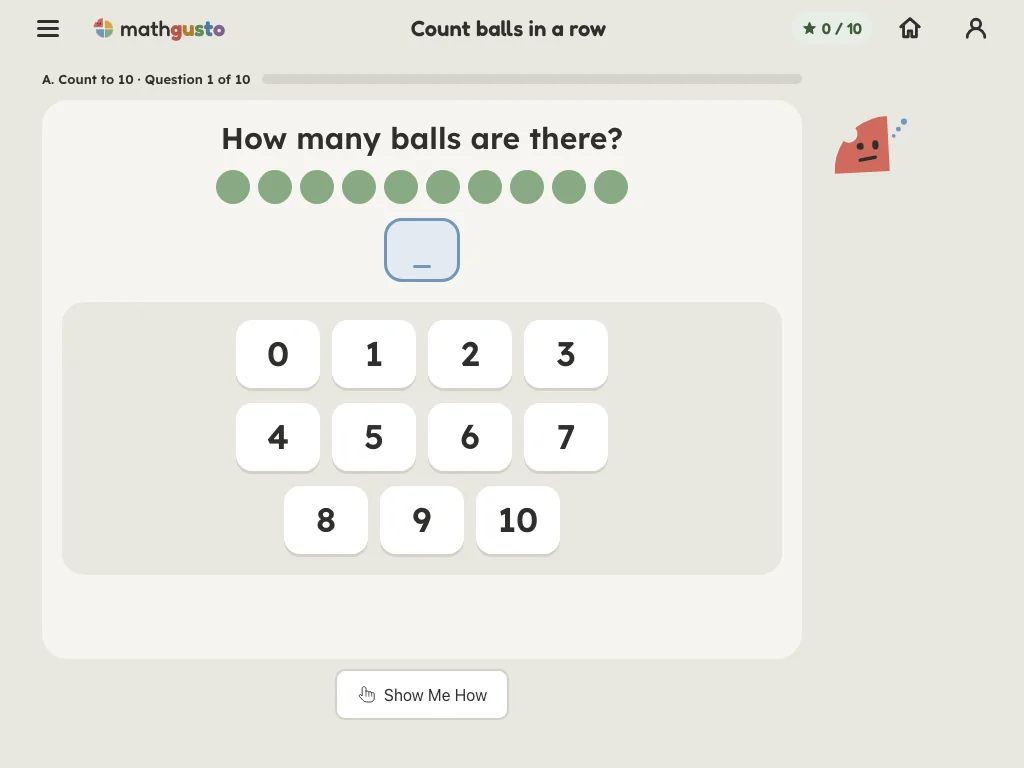
Inside a lesson
- About ten short questions, each with big, clear answer boxes.
- Numbers are typed on a large keypad, one digit at a time.
- A wrong answer is never a dead end: try again, take a hint or watch Gus.
- Questions never move under a finger, and every button is big enough to tap.
- Every round has fresh numbers, so practice stays practice.
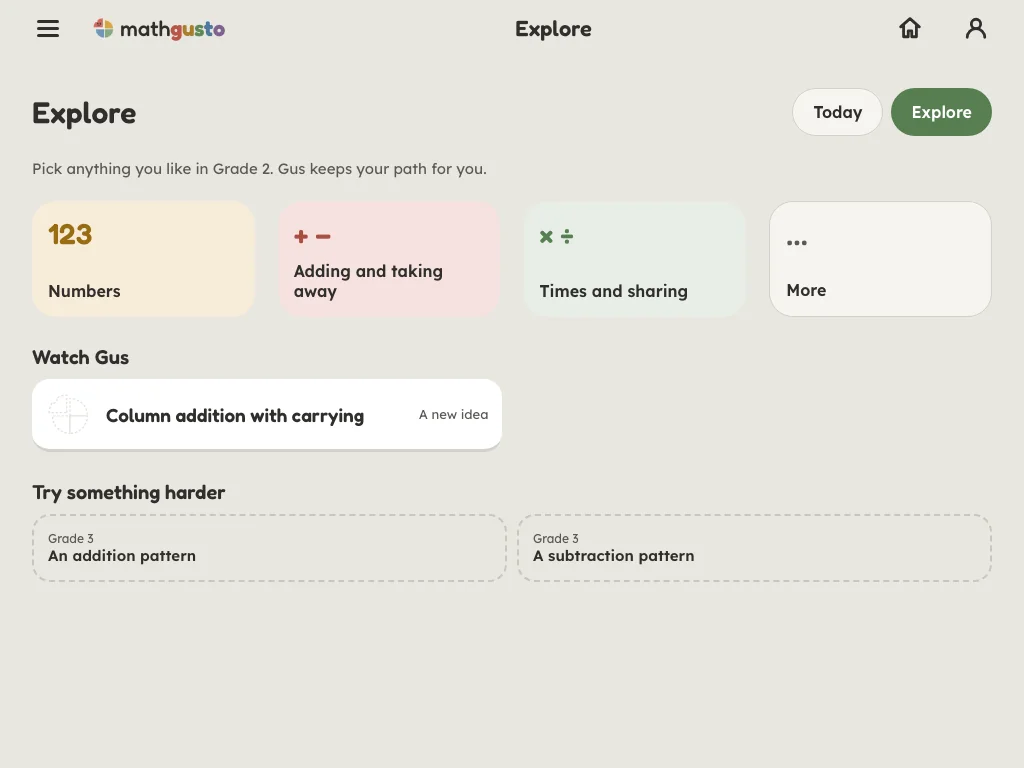
Explore, freely
Explore groups a child’s grade into topics with pictures. They can play anything they like; their path waits for them.
When a topic is going well, “Try something harder” offers lessons from the next grade on the same idea.
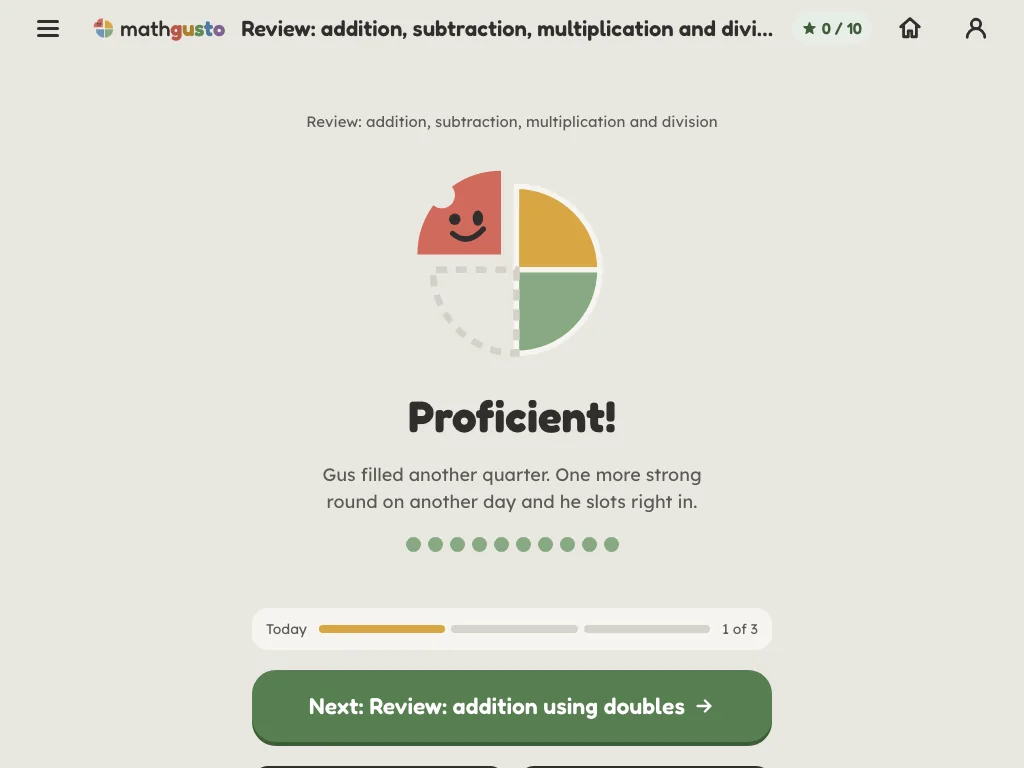
A clear next step
At the end of a lesson Gus shows how his circle changed and offers one big next step: the next activity in Today’s set, or the next lesson on the path.
After a hard round, the next step is a short warm-up instead, so a child comes back to the hard lesson ready for it.
Coming soon to tablets and phones
MathGusto is in testing with families now. It will be on the App Store and Google Play soon.